First, locate your Print Screen Button. this should be located either by your f12 button, or above your insert button. Next, Open up a graphics program. Ex. Photoshop, Paintshop, Paint.
I suggest Paint because it is easy to use+crop and it should come with your computer.


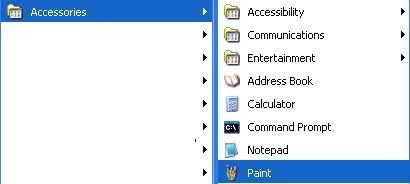
Now, once you are in paint, press Ctrl+V. Or, you could right click and paste.
Now, to crop:
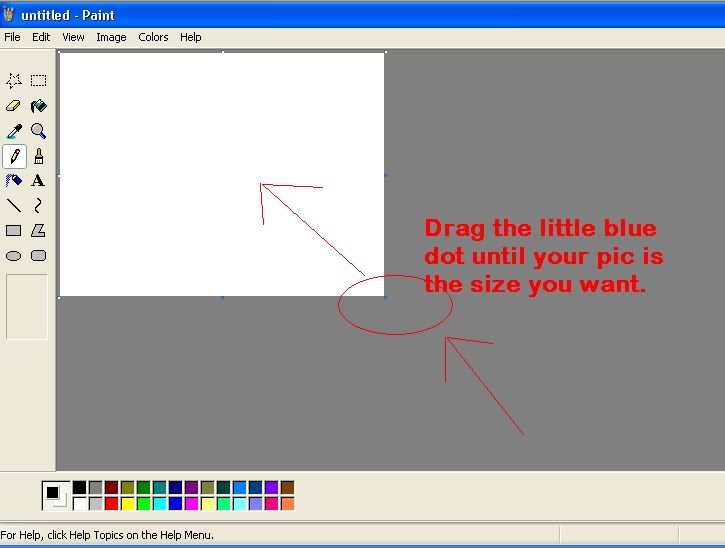
Next, save it as whatever you want. Be sure it's something you remember though, because you need to upload it.
Now, you have to find a place to upload your picture.
I recommend:
www.photobucket.com
www.imageshack.us
I would suggest imageshack because you don't need to register, but alot of times it decides to not work 
Once you have done this, Copy the direct link to image. If you are using photobucket, it's easier, because it puts the tags around it.
If you are using imageshack:
Find the direct link to image. Copy (Ctrl+C or right click>copy) it, and paste(Ctrl+V, or right click>paste) it where every you want. Be sure to put the [IMG] tags around it.
If you are using photobucket: Find the link with the [IMG] tags around it, click it, and simply press Ctrl+V or right click paste into what you want.